










Every computer game enthusiast needs a computer that meets the minimum hardware requirements for specific games (e.g. CPU clock frequency, RAM memory, graphics processor and others). As with browsing the web, editing documents, and other basic computer tasks, input devices such as a mouse and keyboard are essential. The mouse and keyboard controls can also be used while playing computer games, but this is not the only way. Gamepads - consoles for PC games - are also an excellent choice when using a computer for gaming. Very often it turns out that such a console is more convenient and practical to use as opposed to a conventional keyboard and mouse. The USB game consoles offered in our store can work with both standard PCs and single-board computers for embedded systems, such as Arduino and Raspberry Pi. You can choose the game console for yourself in terms of the method of communication with the computer, i.e. using a standard cable with a USB plug or wirelessly using known technologies such as Bluetooth, Wi-Fi, and XBee.
- Reduced price
- Sale
USB game controllers
Products: 1
Loading...
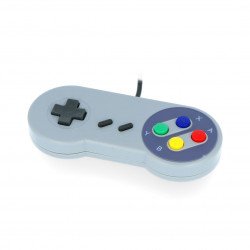
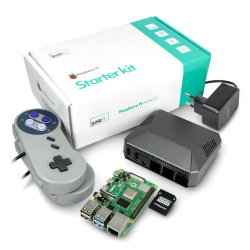
PiHut SNES - USB retro game controller compatible with Raspberry Pi
Retro gaming controller imitating the classic SNES console controller. It is equipped with 8 function buttons and 4 directional buttons. Fully compatible with the Raspberry Pi...
Index: PIH-14940
Index: PIH-14940
See also
What should you consider when buying a gamepad?
When choosing a gamepad, the most important factor is your preferences regarding the required control functions, as well as their compatibility with the hardware characteristics of the game. In case of First Person Shooter games, the keyboard and mouse are by far the best set of control devices due to greater precision when shooting and moving the game character you control. On the other hand, a gamepad is a much better choice as a control device when you play strategy games, RPGs, battle games, as well as sports games - the practical advantages of using a gamepad are especially evident when playing these types of games, thanks to the possibility of using more than one button at the same time. It is also a valuable advantage when playing car racing. When buying a gamepad, the most important factors you should pay attention to are the way of communication with the computer (via USB or wireless cable), length of the USB cable, range (for wireless gamepads exclusively), number of buttons and joysticks, ergonomics and ease of use (weight and dimensions of the console, the shape of the handles, the arrangement of the buttons, the certainty of a grip in your hands), hardware and software compatibility and optionally - additional features like vibration signalling and personalization by programming the button functions individually for each game.
Hardware features of gamepads
The offer of the Botland store includes standard gamepads with basic control capabilities, which are made in good quality with an affordable price, as well as PC gamepads based on the Nintendo and Sega Genesis consoles popular in the 80s and 90s of the twentieth century. Thanks to the low weight and small dimensions, the consoles are very comfortable to use, even during long hours of playing. Thanks to hardware and software compatibility with the most popular operating systems, such as Windows, Linux or MacOS, the consoles can work with many different computers. Also, more demanding users will find something for themselves - some of the consoles we offer are equipped with the function of programming the control elements as an analogue and digital, as well as individual programming to perform a specific function in the game, e.g. jumping, shooting, opening doors, etc. For even greater ease of use, we recommend you choose a console equipped with a wireless communication system.
Gamepads - not only for the PC computers and video game consoles!
Gamepads available in our offer can work not only with PCs and video game consoles but also with mobile devices using Android OS or Apple iOS. You can also connect Gamepad to a TV and use it as an alternative to regular TV-remote to control games and applications, e.g. for music & video streaming. The practical advantage of the wireless gamepad is a sufficient range to operate devices across the room and the ability to control various devices supporting communication protocols such as Wi-Fi, XBee and Bluetooth. We also offer gamepads that are compatible with well-known single-board computers such as Arduino and Raspberry Pi.