Product description: Kitronik ARCADE Max for MakeCode Arcade - programmable gamepad - Kitronik 5357
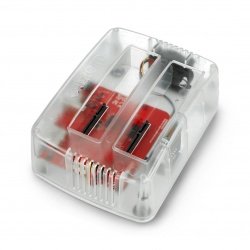
The Kitronik ARCADE Max is a complete platform for learning game programming in the MakeCode Arcade environment. Its handy and durable housing houses a 2.4" color LCD screen , seven game control buttons, a built-in speaker, and a vibration motor for haptic feedback. Users only need a micro USB cable and a computer to get started with coding. The console is powered by three AA batteries or via USB . Compatible with MakeCode Arcade, the device supports visual "drag-and-drop" programming, making it an ideal choice for beginners.
You can find tutorials and sample games on the MakeCode Arcade editor page . You can also create new projects based on your own code there.
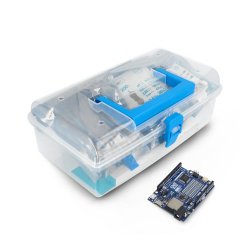
The handy and durable housing houses a 2.4" color LCD screen, seven game control buttons, a built-in speaker and a vibration motor.Special features
- Ability to program games in the MakeCode Arcade environment using a simple block editor
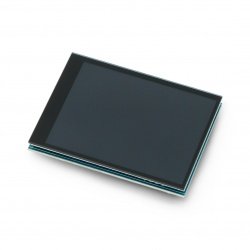
- 2.4″ color LCD display with a resolution of 320 x 240 px provides a clear and dynamic image
- Seven buttons (DPAD + A, B, Menu) available in the game editor - fully customizable
- Built-in speaker and vibration motor provide sound and haptic effects in games
- Powered by 3 AA batteries or via a micro USB port - the perfect portable solution
- Durable, transparent acrylic housing - resistant to intensive use
- Programmable reset button and power status LED
Practical applications
- School education : students can create games on their own and learn block-based programming
- IT workshops and circles : easy implementation and a set of ready-made tools for groups
- Development of STEAM competences : learning logic, graphics, sound, interaction with devices
- Fun and games : access to many ready-made games - learn through play
ARCADE Max Programming
Programming ARCADE Max is quick and intuitive: after connecting the device via USB and pressing reset, it enters the "bootloader" mode as a USB stick ("KIT-ARCD"). Simply copy the .uf2 file generated by MakeCode Arcade and disconnect the console – the game will automatically launch. This process is similar to programming the BBC micro:bit , which makes ARCADE Max perfect for beginners and advanced users.
MakeCode Arcade
Microsoft MakeCode Arcade is a free online block editor designed for education. It allows you to create games by dragging and dropping pre-built code blocks . It includes templates, step-by-step tutorials, game examples, and math and graphics resources. Users can easily export .uf2 files and upload them directly to ARCADE Max —all without additional software.

Thanks to its compatibility with MakeCode Arcade, the device supports visual drag-and-drop programming, making it an ideal choice for beginners.
Gamepad technical specifications
- Processor: Atmel SAMD51J19A
- Screen: color LCD, 2.4″ (diagonal), 320 x 240 px
- Interaction: 7 programmable buttons (DPAD, A, B, Menu)
- Sound: built-in electromagnetic speaker
- Vibration: built-in haptic motor
- Power supply: 3 x AA batteries (alkaline/NiMH/NiCd) or micro USB
- Operating voltage range: 3.6 V to 4.5 V
- Average current consumption: approx. 170 mA
- Average battery life: over 8 hours
- USB port: micro USB (for programming and power supply)
- Housing: thick, transparent acrylic, resistant to damage
- Reset button: physical, non-programmable
- PCB thickness: 11.1 mm
- Dimensions: 91 x 74.5 x 28 mm
Contents of the set
- 1x Kitronik ARCADE Max