












- New
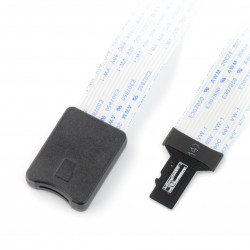
Odroid minicomputers from Hardkernel have a special attribute of superiority over other single board computers, which is that when the eMMC memory module is detached, using an external USB adapter, you can overwrite the contents of its memory. With a microSD to eMMC adapter, you can check the details of the operating system loaded on the card, as well as inspect the contents of the hard drive on an external computer and perform software updates. We also offer a wide range of SD and microSD cards.
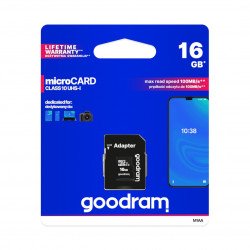
Memory card M1AA Goodram microSD 16GB 100MB/s UHS-I class 10 with adapter
Popular format of micro SD/SDHC card, which is used in smartphones, tablets, cameras. Product of class 10 with UHS-I interface from company Goodram. Speed of the read : up...The Samsung Exynos-4412 processor, which is at the heart of the Odroid XU4, X2, U2, U3, Q and Q2 minicomputers, features an eMMC 4.41 interface with a maximum data transfer rate of 100 MB/s at 48 MHz DDR clock frequency. On the other hand, the Exynos-5410 processor embedded in the XU+E and XU-Lite series models is equipped with eMMC 5.0 interface. The XU series uses eMMC 4.5 interface supporting HS200 mode with a maximum data transfer rate of 160 MB/s at a clock frequency of 160 MHz in SDR technology. In contrast, the Odroid XU3 board uses an Exynos-5422 processor and supports eMMC HS400 mode. It has a clock rate of 166 MHz with 330 MB/s throughput using DDR technology. The Botland store mainly offers eMMC 5.0 memory modules with capacities of 8 GB, 16 GB, 32 GB, 64 GB and 128 GB. Depending on the model, memory modules have preloaded Linux or Android system.
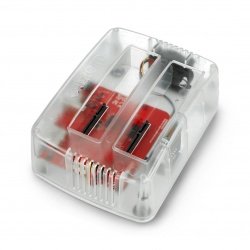
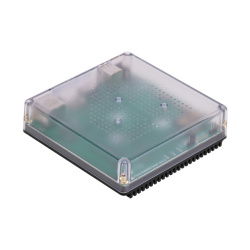
During installation of updated operating system to your Odroid eMMC card you will need a card reader for uploading data from microSD card. The card reader available in our store is characterized by easy operation, high quality and high data transfer efficiency, which is even more important in case of eMMC cards. We also offer an eMMC card reader, which communicates with a computer through a USB 3.0 port. After connecting the eMMC card to the reader, plug it into a USB port on your computer. When the red LED on the reader lights up, it means that the connection with your computer is established. After finishing data exchange, use the safe hardware removal option in your computer's operating system and carefully remove the reader from the USB port.