



On Sale

MicroSD / SD cards
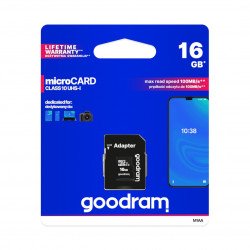
SD memory cards and their smaller micro SD equivalents are needed to store data in smartphones, tablets, computers, as well as digital cameras, cameras or car navigation. They are small cards that allow you to expand the memory of electronic devices. Furthermore, they allow us to transfer data between individual devices that support SD cards. They differ in many parameters, among which is the one that is most important for the potential user, i.e. memory. It determines how much data we will be able to store on the card. However, it is worth to pay attention to other technical parameters, on which the quality of work and the possibility of using the card depends. This is the speed class, but also the mentioned physical size. Fewer and fewer devices have an input for a regular SD card, most support micro SD cards. They sometimes perform the function of operating memory, but they are more known to us as extra storage space extending the standard, built-in memory.
Products
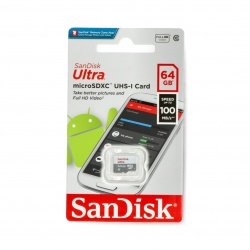
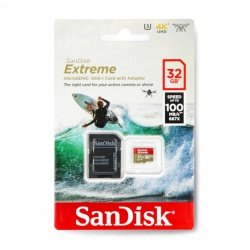
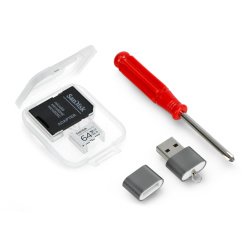
See also
Memory card speed class
The parameter worth paying attention to when choosing an SD card for your needs is its speed class . For example, if you are a professional DSLR photographer and shoot in high-resolution RAW format, a card with the highest speed rating will be the most appropriate choice, allowing for the shortest possible recording time between shots.
Type of memory cards - writing and reading speed
An SD card with the highest speed class will also work well when recording high-resolution videos and saving them directly. However, if you need a memory card for a phone or portable music player, the card's speed class is a much less important parameter. The higher the writing speed and reading speed of the MicroSD card, the greater the amount of data processed per second of operation of the memory medium.
MicroSD memory cards - reading speed matters
MicroSD memory cards are manufactured in four speed classes - 10, 6, 4 and 2. Class 10 is the highest speed class and SD cards in this category are recommended for recording videos in full HD resolution. Class 2, on the other hand, is the lowest speed class and is sufficient for recording standard definition videos. However, Class 4 and 6 MicroSD memory cards will be a good choice if you record HD videos. If you record in 4K quality, then a class 1 or 3 UHS card will work great. The writing and reading speed (speed class) is expressed in MB/s, i.e. the amount of data processed per second.
Selection of an SD card for the construction of the device
Mass-produced SD cards are available in three housing sizes. A standard SD card has dimensions of 32.0x24.0x2.1mm, weighs only 2.0g and is distinguished by a characteristic bevel in the upper right corner of the housing.
Card type - additional information
The miniSD card has smaller dimensions of 21.5x20.0x1.4mm, weighs only 0.8g, but currently it is the least used type of SD card, suitable mainly for older mobile phones and has been replaced by a microSD card with dimensions of 15.0x11. 0x1.0 and weighing only a quarter of a gram.
This type of card is especially popular among tablet and smartphone users. The physical size of the card must match the dimensions of the card slot in the device. If you want to insert a microSD card into a device that has a slot for a standard "large" SD card, you will need a special adapter.
Possibility of storing data on SD cards
Just like USB flash drives, hard drives, SSD drives and other data carriers, SD cards are also characterized by capacity, i.e. their ability to store data. SD cards differ in capacity standards. Among them, there is SDSC - covering capacities from 1MB to 2GB. Later, the SDHC standard was created, which includes cards with capacities from 2GB to 32GB, and the newest one - SDXC, which covers card capacities from 32GB to even 2TB.
Card type adapted to the type of mobile devices
In small mobile devices, cards with capacities of 16GB, 32GB and 64GB are most often chosen to expand the built-in memory. Among the above-mentioned devices, the SDHC standard prevails in most devices available on the domestic and foreign markets.
MicroSD cards - what else is worth knowing about them?
Before choosing an SD card, check whether the parameters of your device allow it to work in terms of speed class, dimensions and capacity of the memory card. The lack of moving parts makes the accessories described have a long service life. In addition, selected MicroSD cards are resistant to extreme temperatures. They should be stored in a safe place because they could be damaged, e.g. by falling from a height.
MicroSD memory card - various variants
Example capacities of memory cards:
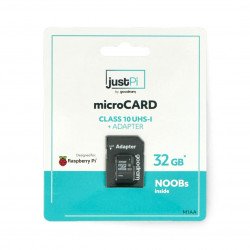
- 8 GB microSD card - ideal for storing documents, several films or music files
- 16 GB microSD memory card - universal size, which can accommodate a large amount of data and smaller backup copies
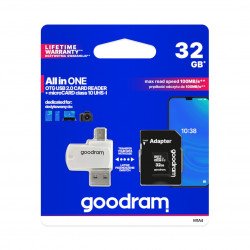
- 32 GB microSD card - this is a large capacity, but it will not allow you, for example, to save all your data from your computer
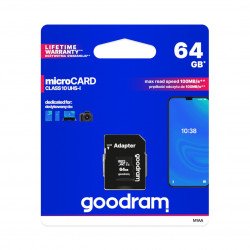
- 64 GB microSD memory card - capacity of the smallest drives available in a computer, you can store a large amount of data on it
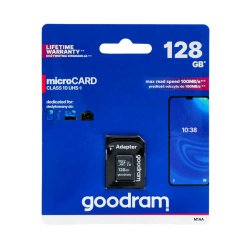
- 128 GB microSD memory card - capacity of large computer drives
microSD / SD memory cards - FAQ
At home, you can try to recover data from a damaged microSD memory card using special software. If this fails, it is worth using the services of a specialized company with professional data recovery tools.
The parameters of compatible phone memory cards are provided by the device manufacturer. You should pay attention to the type of media (microSD, microSDHC, microSDXC), data reading and writing speed (given in MB and number of operations per second) and file saving format (different in iOS and Android).
In many cases, the problem with reading the card is due to it being dirty. It is worth removing the media, gently cleaning the contacts with spirit and, after drying, placing the card back in place, making sure it is in the correct position.