
CMYK print module
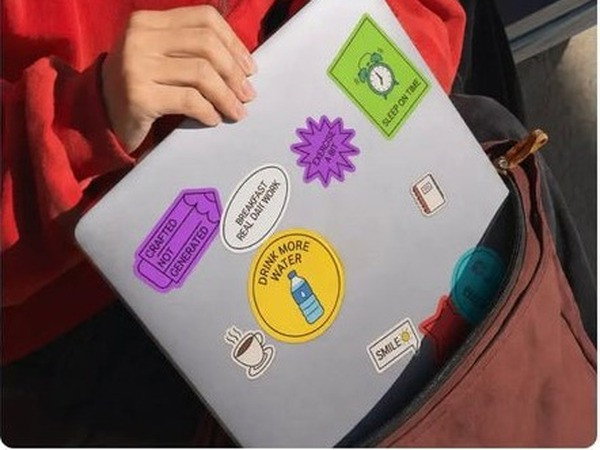
Prints in four colours at 1200 x 1200 dpi, and M2 cuts out the print with the laser exactly along the outline of the design.

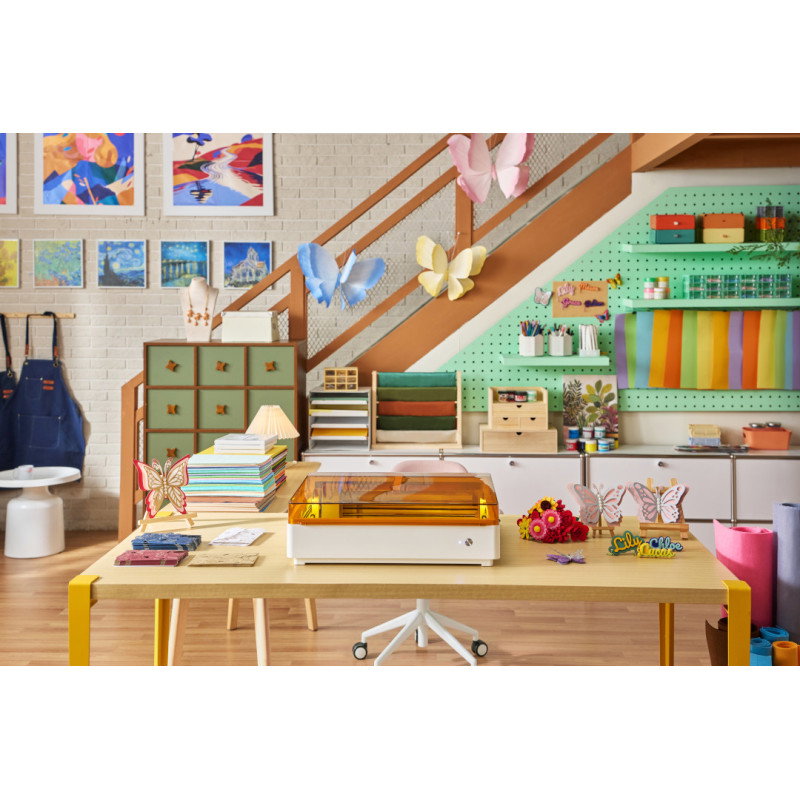
Over 500,000 customers already trust us. With us you get:
same-day shipping for products marked “24h shipping”
our own service centre in Poland
30 days to return and free delivery in Poland from PLN 500
4.9/5 on TrustMate and 4.9/5 on Google (almost 4,000 reviews)
VAT invoice, leasing and instalments for businesses
For businesses
individual quote for larger quantities
VAT invoice
For schools and universities
orders based on requests for quotation
help with choosing kits for your lab

20 W laser in a Class 1 enclosure: xTool M2 cuts, engraves, and with the CMYK module it also prints in colour.
We could not load the price.
The promotional price does not combine with quantity discounts.

Botland is an official distributor of xTool laser engravers and cutters in Poland. Buying from us guarantees original equipment and fast technical support. The Botland range also includes original accessories and materials for xTool devices.
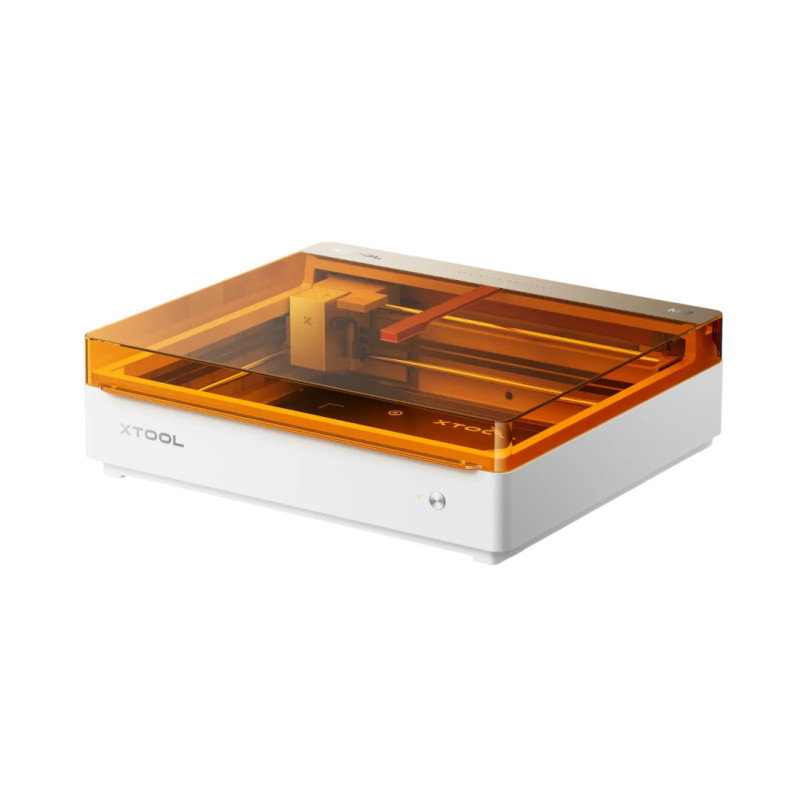
xTool M2 20W is an enclosed 20 W diode laser cutter and engraver with two cameras that cuts basswood plywood up to 10 mm and black acrylic up to 8 mm in a single pass in a 426 x 320 mm area. It cuts 3 mm plywood at 15 mm/s, while the 10 W version does it at 8 mm/s. With the M2 print module added, it also prints in colour and cuts out the print right away.
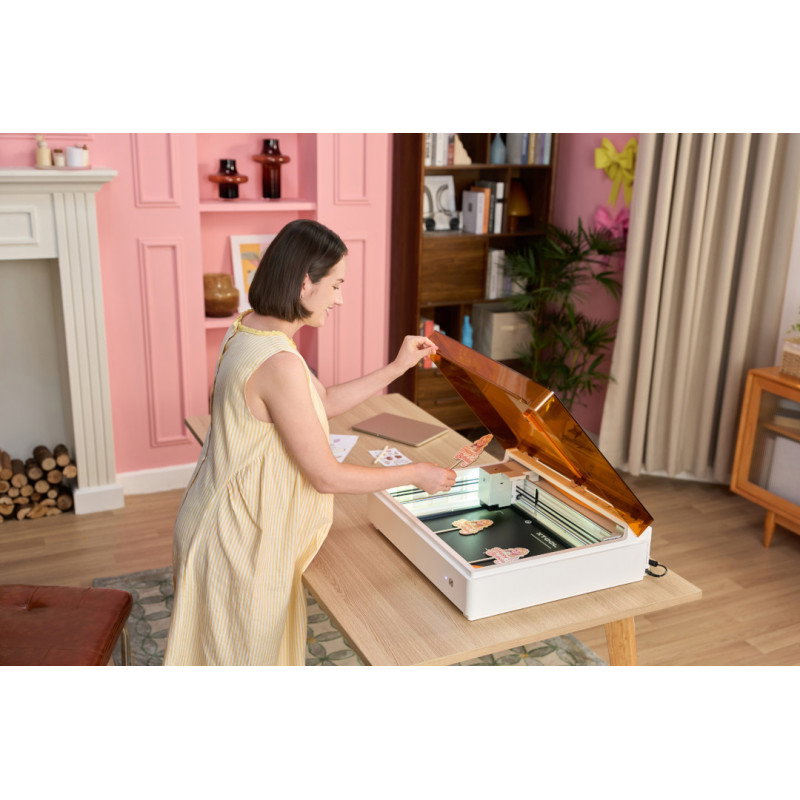
After you close the lid, the ACS system takes a photo of the material, aligns the design, sets the focus and measures the thickness, so you start without manual levelling. M2 needs no complicated assembly: you attach the laser module, connect the smoke exhaust tube and you are ready to go. The xTool Studio software for Windows and macOS handles the graphics.
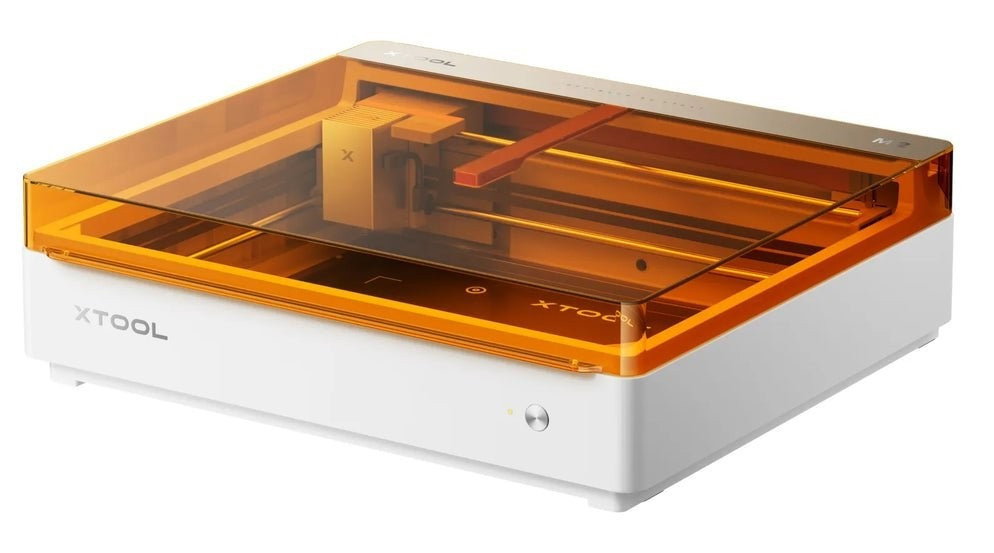
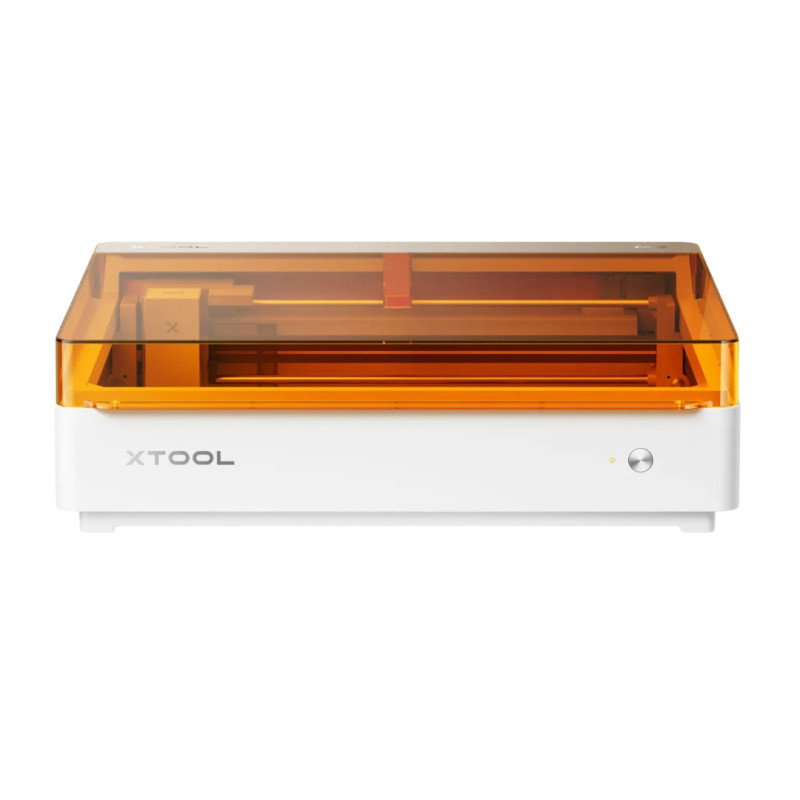
xTool M2 20W - front view, orange cover and white body
426 x 320 mm
working area with the diode laser
600 mm/s
max. travel speed on the X and Y axes
10 mm
basswood plywood cut in a single pass (10 W version: 8 mm)
class 1
laser device according to EN/IEC 60825-1
What sets this model apart
The 20 W diode cuts 3 mm plywood at 15 mm/s, so a batch of signs or key rings takes less time, and you cut thicker material in a single pass. Keep in mind that a 20 W diode laser still does not cut clear acrylic, because it lets blue light pass through, and cutting it requires a CO2 laser that works at a different wavelength.
15 mm/s
3 mm plywood cutting (10 W version: 8 mm/s)
10 mm
basswood plywood cut in a single pass (10 W version: 8 mm)
8 mm
black acrylic cut in a single pass (10 W version: 3 mm)
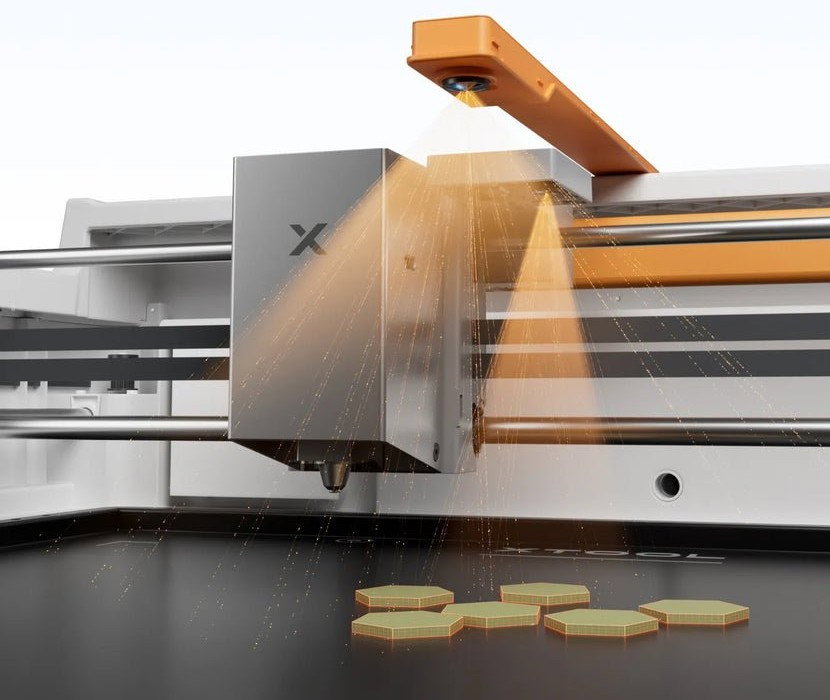
M2 head above the work bed with plywood parts cut out
The 5 MP panoramic camera shows the whole bed in the software, and the 2 MP close-up camera lets you position the design with an accuracy of up to 0.2 mm. After you close the lid, the ACS system recognises xTool materials with a QR code, adjusts the position of the artwork, sets the focus and measures the thickness. The built-in air pump blows smoke away from the cutting zone, so edges are cleaner, and the exhaust tube carries the smoke outside or to an air purifier.
The video shows how M2 recognises the material and prepares the project after the lid is closed.
Video: the manufacturer's official YouTube channel.
The kit includes a 20 W diode laser for cutting and engraving, and you can buy the other modules separately when you need them, without replacing the whole machine with a newer model.
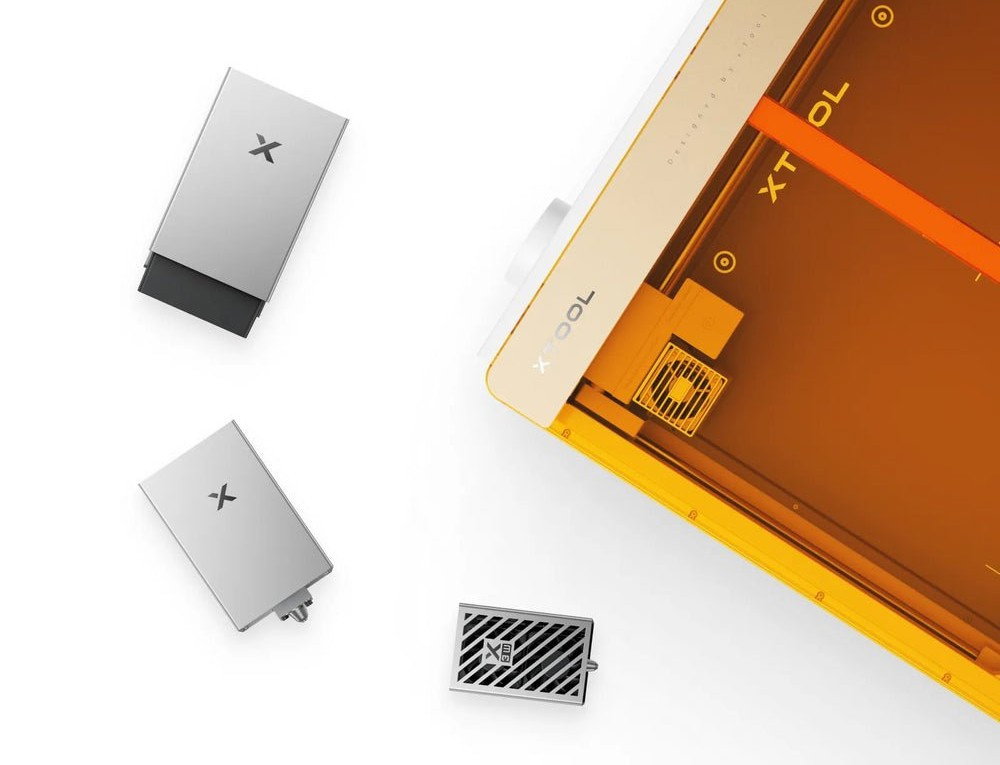
Laser and print modules next to the xTool M2 enclosure





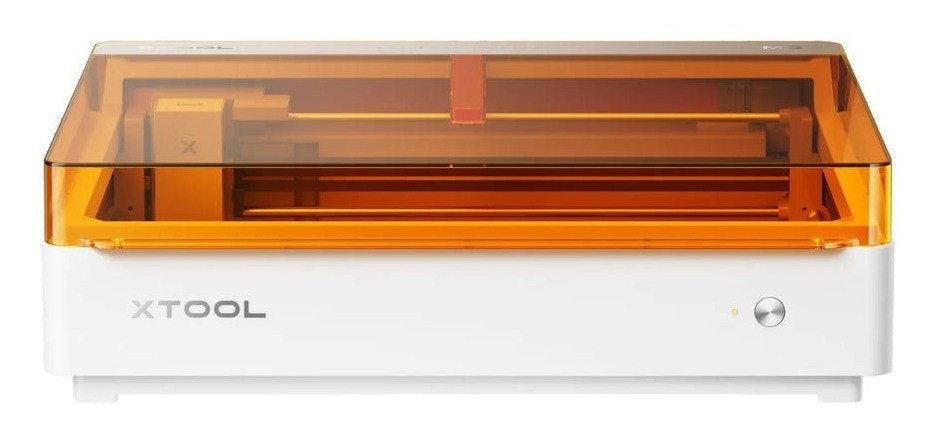
xTool M2 20W with the orange lid closed
With the RA3 Lite module you engrave items from 0 to 100 mm in diameter without a riser base. You buy the module separately, and you choose the jaws from the set for each shape.
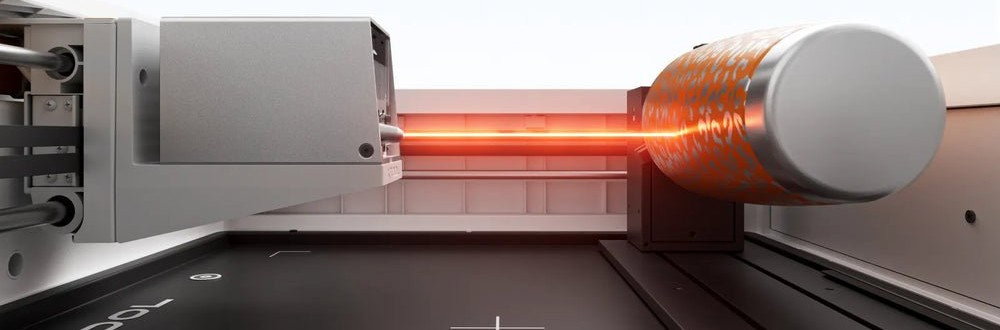
RA3 Lite rotary module with an engraved cylinder in M2
The video shows what is in the box and how to prepare M2 for your first project.
Video: the manufacturer's official YouTube channel.





A good choice if:
Consider another option if:
| xTool M2 10W | xTool M2 20W | xTool M1 Ultra | |
|---|---|---|---|
| Diode laser included | 10 W | 20 W | 20 W |
| Basswood plywood cut in a single pass | 8 mm | 10 mm | - |
| Black acrylic cut in a single pass | 3 mm | 8 mm | - |
| Working area | 426 x 320 mm | 426 x 320 mm | - |
| Colour printing | CMYK, 1200 x 1200 dpi (module sold separately) | CMYK, 1200 x 1200 dpi (module sold separately) | CMY, 1200 x 600 dpi |
| Blade cutting | no | no | yes |
| See | xTool M2 10W | this page | xTool M1 Ultra |
“-” means the manufacturer does not provide this information.
Did you know
The manufacturer states that printing and cutting out a sticker in M2 takes about 3 minutes, and about 20 minutes with a separate printer and plotter, because the camera knows the position of the print.
Source: xTool: CMYK module for M2
No. The xTool M2 works only with a laser and inkjet printing; it has no blade module or cutting mat.
On the base plate the material can be up to 26 mm high. The magnetic holders clamp material up to 6 mm, and thicker material, up to 16 mm, rests on the holders. For mugs and bottles, use the RA3 Lite rotary module, which lets you engrave items up to 100 mm in diameter.
The 20 W version cuts basswood plywood up to 10 mm instead of 8 mm, black acrylic up to 8 mm instead of 3 mm, and cuts 3 mm plywood at 15 mm/s instead of 8 mm/s. The enclosure, working area and modules are the same in both versions.
M2 works with xTool Studio on Windows and macOS. It does not work with LightBurn or xTool Creative Space.
The 20 W diode laser engraves stainless steel, aluminium and coated metals, but not mirror-finish metals. For marking metals and plastics, use the 3 W infrared module.
Yes, partly. After sending the project over USB or WiFi, you can repeat the last job by pressing the Start/Stop button on the M2 housing twice.
The CMYK print module, ink cartridge and RA3 Lite rotary module are not included in the basic kit.
| Parameter | Value |
|---|---|
| Type | diode laser cutter and engraver with cameras, in an enclosed housing |
| Laser module included | diode 20 W |
| Wavelength | 445 ± 15 nm |
| Max. optical power of the working laser | 24 W |
| Laser spot size | 0.06 x 0.08 mm |
| Working area | 426 x 320 mm (with 3 W infrared module: 412 x 310 mm, with print module: 300 x 294 mm) |
| Max. speed | 600 mm/s (X and Y axes), Z axis 100 mm/s |
| Motion accuracy | 0.01 mm |
| Camera positioning accuracy | up to 0.2 mm |
| Cameras | 5 MP panoramic and 2 MP close-up, autofocus |
| Basswood plywood cut in a single pass | up to 10 mm |
| Black acrylic cut in a single pass | up to 8 mm |
| Max. material height | 26 mm on the base plate; magnetic holders clamp material up to 6 mm, thicker material up to 16 mm rests on the holders |
| Rotary engraving | items 0-100 mm in diameter with the RA3 Lite module, no riser base |
| Air assist | built-in adjustable air pump |
| Safety | Class 1 laser device according to EN/IEC 60825-1 (Class 4 working laser enclosed in the housing), lid and base plate safety switches, flame and tilt detection |
| Connectivity | USB, WiFi |
| Software | xTool Studio (Windows, macOS) |
| Supported files | SVG, DXF, JPG, JPEG, PNG, BMP |
| Power supply | power adapter 100-240 V AC, 50/60 Hz, 25 V / 6 A, max. power draw 200 W |
| Operating temperature | 0 °C-35 °C, humidity 20%-85% |
| Dimensions | 610 x 569 x 180 mm |
| Weight | 12.3 kg |
| Package dimensions and weight | 700 x 630 x 285 mm, 15.9 kg |
| Manufacturer code | P0101000476 |
| Manufacturer | xTool |
| Name | Value |
|---|---|
| Rodzaj pracy urządzenia | Cutting and engraving |
| Moc lasera | 20 W |
| CNC - Rodzaj konstrukcji | Closed |
| CNC - Obsługiwane materiały | Basic |
| CNC - Typ lasera | LED |
| CNC - długość pola roboczego | 426 mm |
| CNC - szerokość pola roboczego | 320 mm |
| CNC - wielkość pola roboczego | Medium |
| Width | 70 cm |
| Height | 63 cm |
| Depth | 28.5 cm |
| Weight | 15.9 kg |
 GLS
Shipping in 24 hours
from €17.68
The full delivery terms are on the page Delivery and payment.
30 days to return, without giving a reason
If the product does not meet your expectations, you have 30 days from receiving the parcel to withdraw from the contract. The product only has to be complete. The right of return belongs to consumers (a purchase unrelated to business activity).
Complaints
If the product turns out to be faulty, you can make a claim under the guarantee or the statutory warranty. We handle claims without delay, at the latest within 14 working days of receiving the report together with the goods.
Be the first to ask a question about this product!
Instructions and documents
GPSR data
Products from the same category
See all