

Over 500,000 customers already trust us. With us you get:
same-day shipping for products marked “24h shipping”
our own service centre in Poland
30 days to return and free delivery in Poland from PLN 500
4.9/5 on TrustMate and 4.9/5 on Google (almost 4,000 reviews)
VAT invoice, leasing and instalments for businesses
For businesses
individual quote for larger quantities
VAT invoice
For schools and universities
orders based on requests for quotation
help with choosing kits for your lab

Skaner 3D - CR-Scan Ferret Pro
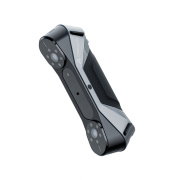
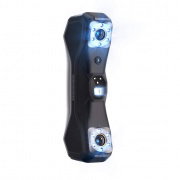
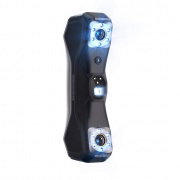
CR-Scan Ferret Pro wireless 3D scanner from Creality scans in color with accuracy of up to 0.1 mm.
- WiFi 6 wireless bridge included: scanning without a cable with an iPhone, Android and a computer
- Stable tracking despite hand shake, black and metal surfaces without spray
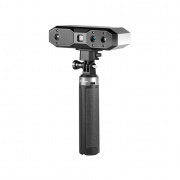
- Battery handle 5000 mAh, tripod and bag included
- An iPhone 11 or newer connects wirelessly only
We could not load the price.
The promotional price does not combine with quantity discounts.
Ferret with a WiFi 6 wireless bridge
CR-Scan Ferret Pro is a handheld Creality 3D scanner with a WiFi 6 wireless bridge. Thanks to the bridge you scan without a cable and can connect an iPhone, which the basic CR-Scan Ferret does not allow.
The scanner reaches accuracy of up to 0.1 mm, captures color and works with iOS, Android, Windows and macOS. You export the model to OBJ, STL or PLY format.

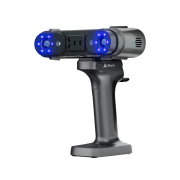
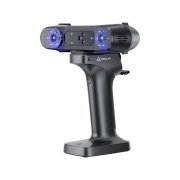
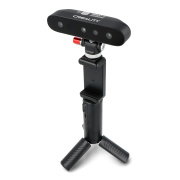
CR-Scan Ferret Pro scanner with the WiFi bridge on the handle
0.1 mm
scanning accuracy
WiFi 6
wireless bridge included
15-200 cm
recommended size of scanned objects
5000 mAh
battery in the handle
What sets this model apart
Scanning without a cable, also with an iPhone
The WiFi 6 wireless bridge from the package sends the image from the scanner to an iPhone 11 or newer, a phone with Android 10 or newer, or a computer. However, the bridge connects to only one device at a time and does not provide internet access.

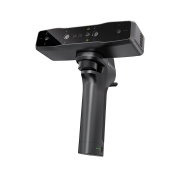
Ferret Pro with a phone on the handle, front view
WiFi 6 wireless bridge: fewer cables, more freedom
You mount the bridge on the handle together with the scanner. After turning on the handle, you wait until the bridge LED turns blue and connect the phone or the computer to the bridge's WiFi network in the 5 GHz band.
Without a cable it is easier to walk around a large object and to scan outdoors. The manufacturer recommends the wired connection for Android 11 and newer, and the wireless one for iPhone and Android 10.
CR-Scan Ferret Pro: what the Pro version changes
The manufacturer presents the changes compared with the basic version.
Video: the manufacturer's official YouTube channel.

Botland is the only official distributor of Creality 3D printers in Poland. Buying from us guarantees original equipment shipped from a warehouse inside the country and fast technical support. We also run a professional service in Poland and offer original spare parts.
Stable tracking and dark surfaces
The single-shot imaging technology limits the effect of hand shake, so the scan breaks off less often. Depth is computed by a chip in the scanner itself, which relieves the phone and the computer.
You scan black and metal items, e.g. car parts and tires, without matting spray. The scanner also works in the sun, in lighting of below 30,000 lux.

Scan of a black seat in the Creality Scan software

Scan preview on a phone mounted on the handle
24-bit color and face mode
The color camera with a resolution of 2 Mpx captures the 24-bit color of the model. A separate face mapping algorithm captures features better.
The scanner works at distances from 150 mm to 700 mm at up to 30 frames per second. The manufacturer recommends objects from about 15 cm to 200 cm, and to start with, medium-sized items with distinct shapes.
Battery handle 5000 mAh
The handle with a 5000 mAh battery powers the set for about 2.5 hours. You turn it on with one press of the button and turn it off with two quick ones.
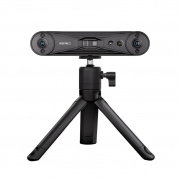
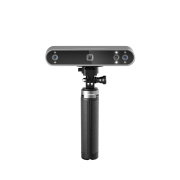
The package also includes a tripod, a phone holder and a tilt angle adjuster.

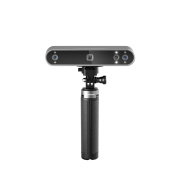
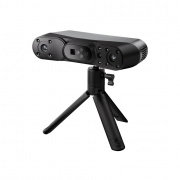
Ferret Pro with a phone on a tripod
Is it the right choice for you?
A good choice if:
- you have an iPhone or want to scan without a cable
- you scan items from about 15 cm to 2 m, also outdoors
- you need a color model for 3D printing without manual modeling
Consider another option if:
- a wired connection with Android or Windows is enough for you: CR-Scan Ferret
- you need a laser and accuracy of up to 0.03 mm: Creality Pika
Comparison of compact Creality scanners
| CR-Scan Ferret Pro | Creality Pika | CR-Scan Ferret | |
|---|---|---|---|
| Accuracy | up to 0.1 mm | up to 0.03 mm | up to 0.1 mm |
| Smallest object | 50 x 50 x 50 mm | 10 x 10 x 10 mm | 50 x 50 x 50 mm |
| Connection | WiFi 6 wireless bridge or USB 3.0 | WiFi 6 or USB 3.0 | USB 3.0 |
| iPhone | yes, iPhone 11 or newer | yes, iPhone 14 or newer | no |
| Power supply | battery handle 5000 mAh | 2 replaceable 3350 mAh batteries | battery handle 4500 mAh |
| Scanner weight | 105 g | 260 g with battery | 105 g |
| See | this page | Creality Pika | CR-Scan Ferret |
Data according to the manufacturer.
Frequently asked questions
Can I connect the WiFi bridge to several devices?
No. The bridge connects to one phone or one computer. To change the device, first disconnect the previous one.
Why do I have no internet after connecting to the bridge?
The bridge has no internet connection. Some phones then use mobile data in parallel, and a computer needs a connection with a network cable.
What objects should I start with?
With medium-sized items, over 20 cm, with distinct shapes, e.g. a sculpture or a teddy bear.
Why does the scanner lose tracking?
Usually because the scanned object is moving too fast. Return the scanner to the scanned fragment and wait a few seconds. Start the turntable only when tracking is stable.
What can I do about holes in the model?
Move the scanner slowly to cover the hidden areas. After scanning, use the hole filling function in the software.
Package contents
- 1 x CR-Scan Ferret Pro 3D scanner
- 1 x Battery handle
- 1 x USB cable for computer with a USB Type-C adapter
- 1 x WiFi 6 wireless bridge
- 1 x Tilt angle adjuster
- 1 x Phone holder
- 1 x Tripod
- 1 x Bridge data cable
- 1 x Bridge power cable
- 1 x Markers
- 1 x Y cable for an Android phone
- 1 x Carrying bag
Technical specification
| Parameter | Value |
|---|---|
| Manufacturer | Creality |
| Accuracy | 0.1 mm |
| Point spacing | 0.16 mm |
| Working distance | 150-700 mm |
| Scanning area | 560 x 820 mm at 700 mm |
| Smallest object | 50 x 50 x 50 mm (marker mode) |
| Scanning speed | up to 30 fps |
| Texture color | yes, 24-bit |
| Operation in ambient light | below 30,000 lx |
| Alignment | geometry, markers, texture |
| Save formats | OBJ, STL, PLY |
| Handle battery | 5000 mAh |
| Wireless bridge | WiFi 6, 5 GHz, power consumption 2.2 W, USB Type-C power supply 5 V / 3 A, 125 x 62 x 18 mm |
| System | Windows, macOS, iOS, Android |
| Operating temperature | from -10 °C to 40 °C |
| Storage temperature | from -20 °C to 70 °C |
| Scanner dimensions | 120 x 30 x 26 mm |
| Scanner weight | 105 g |
| Total weight | 540 g |
Useful links
| Name | Value |
|---|---|
| 3D - Communication |
|
| 3D - Light source | NIR |
| 3D - Accuracy | 0,1 mm |
| 3D - Min. scan volume | 50 x 50 x 50 mm |
| 3D - Max. scan volume | 2000 x 2000 x 2000 mm |
| 3D - Colour scanning | Yes |
| 3D - Size of scanned objects |
|
| Width | 28 cm |
| Height | 22 cm |
| Depth | 8 cm |
| Weight | 1.256 kg |
 GLS
Shipping in 24 hours
from €8.07
The full delivery terms are on the page Delivery and payment.
30 days to return, without giving a reason
If the product does not meet your expectations, you have 30 days from receiving the parcel to withdraw from the contract. The product only has to be complete. The right of return belongs to consumers (a purchase unrelated to business activity).
Complaints
If the product turns out to be faulty, you can make a claim under the guarantee or the statutory warranty. We handle claims without delay, at the latest within 14 working days of receiving the report together with the goods.
Be the first to ask a question about this product!
Instructions and documents
GPSR data
Products from the same category
See all